
Event Diagramming, Connected
Diagram Where You Sell
Create event layouts inside the Visiting Media platform, connect them with immersive content, and give planners the visual context to move forward confidently.
Built for hotel sales, conference services, catering, and operations teams.
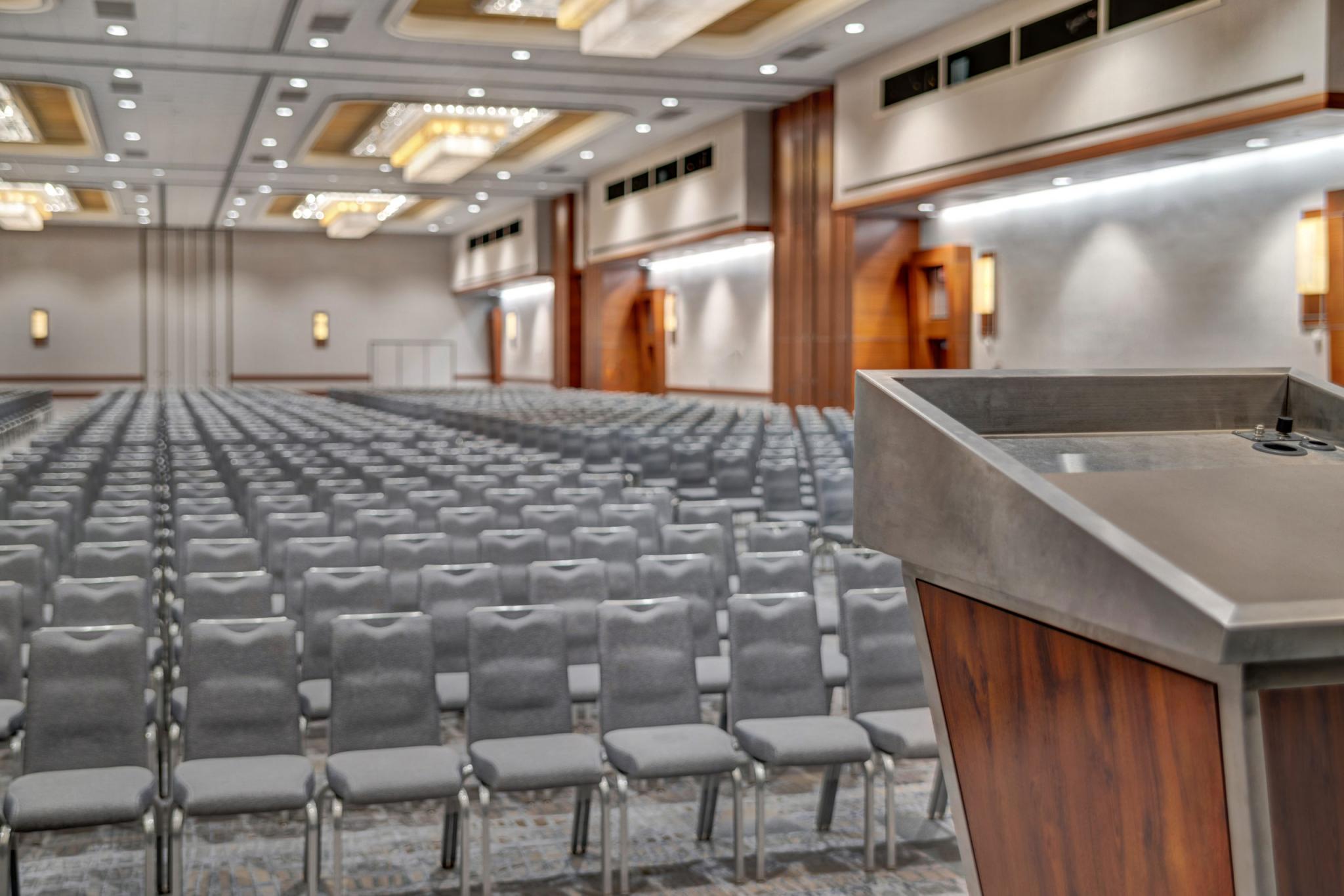
Plan where you present
Build accurate layouts of your spaces inside the platform you use to sell, so every conversation is grounded in your hotel.
Give planners more context
Pair diagrams with photos, videos, capacities, and 360° tours so planners understand the full experience — not just the floor plan.
Keep teams aligned
Sync diagrams across sales, catering, conference services, and operations so everyone works from the latest plan, always.
A More Connected Approach
Your diagram should tell the whole story
A floor plan can explain where the tables go. It cannot show the atmosphere, finishes, lighting, and flow that help a planner picture the event.
Visiting Media Diagramming brings layouts and immersive property content into the same selling experience — helping teams move from showcasing the space to planning the event with less friction.
Compare the Workflow
Last verified: October 2026Standalone diagramming or connected selling?
For single hotels and multi-property management portfolios evaluating event layout software in 2026, Cvent Event Diagramming fits planner-led teams working inside the Cvent Supplier Network with per-user seat licensing, while Visiting Media Diagramming fits property sales, catering, and conference services teams that need unlimited property users and 2D/3D floor plans connected directly to TrueTour 360°/3D virtual tours, AI Staging, and brand distribution channels.
| What matters | Cvent Event Diagramming | Visiting Media Diagramming |
|---|---|---|
| Where diagrams live | A separate system or file library, one module inside a much larger event-management suite (sourcing, registration, room blocks) | Inside the Visiting Media platform — no separate login |
| What planners see | 3D tours are purchased separately and layered on top of Event Diagramming | Layouts connected with 3D models, photos, and video |
| Starting a new layout | Navigate a feature-heavy workspace built for scale and complexity | Guided 4-step flow — space, diagram, settings, share |
| Reusing past work | Rebuild or manually reconfigure layouts | Duplicate an existing diagram and adjust it |
| Sharing updates | Export and resend revised files, or surface inside the Cvent Supplier Network and Wedding Spot marketplace | Share a link that reflects the latest saved diagram — no account needed |
| Managing diagrams | Search across projects, files, or systems | View, filter, edit, share, and duplicate from one dedicated page |
| Property context | Generic furniture and room objects | Visibility into the furniture and décor recorded for the property |
| Sales-to-operations handoff | Information moves between separate tools | Sales and operations work from the same visual context |
| Where content can go | Diagrams stay inside the Cvent Supplier Network and Wedding Spot marketplace | A single link that can be shared anywhere your team needs it — including GDS and content platforms like Amadeus and CITE |
| User licenses | Free, Pro, and Premium plans each include 1 named user; adding more requires a custom Enterprise plan | Unlimited users included at the property — no per-seat licensing |
Cvent comparison based on publicly available product information as of July 2026.
Win the event. Then plan it.
Showcase
Inspire planners with immersive tours, photos, and event ideas.
Diagram
Create accurate layouts in minutes and explore options together.
Share
Send a live link so planners and stakeholders stay aligned.
Plan
Diagrams flow into event orders and operations — ready to execute.
Built Around the Hotel Workflow
How Visiting Media Diagramming is different
Diagramming Inside VMP
Build layouts in the same platform your team uses to showcase event spaces — no separate diagramming login or disconnected visual story.
A Guided Way to Start
Select the space, create the diagram, configure its settings, and share. New users can begin without learning an oversized event-management platform.
One Home for Every Diagram
See diagrams across the property from a dedicated management page. Filter by space and edit, share, duplicate, or move a diagram to trash from one view.
Measurements as You Build
Room dimensions and capacity calculations update as the layout takes shape, helping teams evaluate setups with better context.
Property-Specific Inventory
Review the furniture and décor recorded for the property and update available quantities and labels — layouts reflect what is actually available.
Sharing Built Into the Workflow
Add a diagram to a TrueTour or custom tour, or share it with a standalone link. Planners can view the experience without creating an account.
The tools teams need — without the excess
Powerful diagramming should not require every user to become a platform expert. Visiting Media focuses the workflow on the actions hotel teams use most: selecting a space, building a layout, checking capacity, managing diagrams, and sharing the result.
The outcome is a diagramming experience designed for everyday use across sales and event teams.
- Guided room-layout creation
- Drag-and-drop setup tools
- Built-in dimensions and capacity calculations
- Dedicated diagram management
- Reusable layouts
- Link-based sharing
- Property furniture and décor visibility
- Connection to immersive property content
Questions to Ask
Look beyond the feature list
Use these questions when evaluating an event diagramming solution:
- 1Does diagramming live alongside the content used to showcase the property?
- 2Will planners receive a complete visual experience or just another diagram link?
- 3Can the team reuse and adapt proven layouts?
- 4Will a shared link reflect the latest saved version?
- 5Can sales and operations work from the same visual context?
- 6Is the workflow approachable for occasional as well as experienced users?
- 7Can the team verify that layouts reflect the property’s available furniture and décor?
- 8Is diagramming part of the selling workflow or another disconnected system?
Common questions
Frequently asked questions
Connect the Entire Event Story
See how Visiting Media Diagramming can help your team showcase spaces, respond to planners, and carry a clearer visual plan from proposal through execution.