
News • Jun 29, 2026
Introducing Portfolio Showcases: Every Property, One View, Selling at Scale

Enterprise customers have used our legacy Content Hub for years to give their global sales teams a single destination for clients. The experience was simple. Sellers grabbed the link, sent it, and moved on. Our customers had creative ways to leverage a single link which housed all of their immersive content across their entire portfolio in one place, but their needs expanded with planner demands. The simplicity was a win for our customers, but the experience could — and should — advance along with our Visiting Media Platform.
What we built, and why it matters
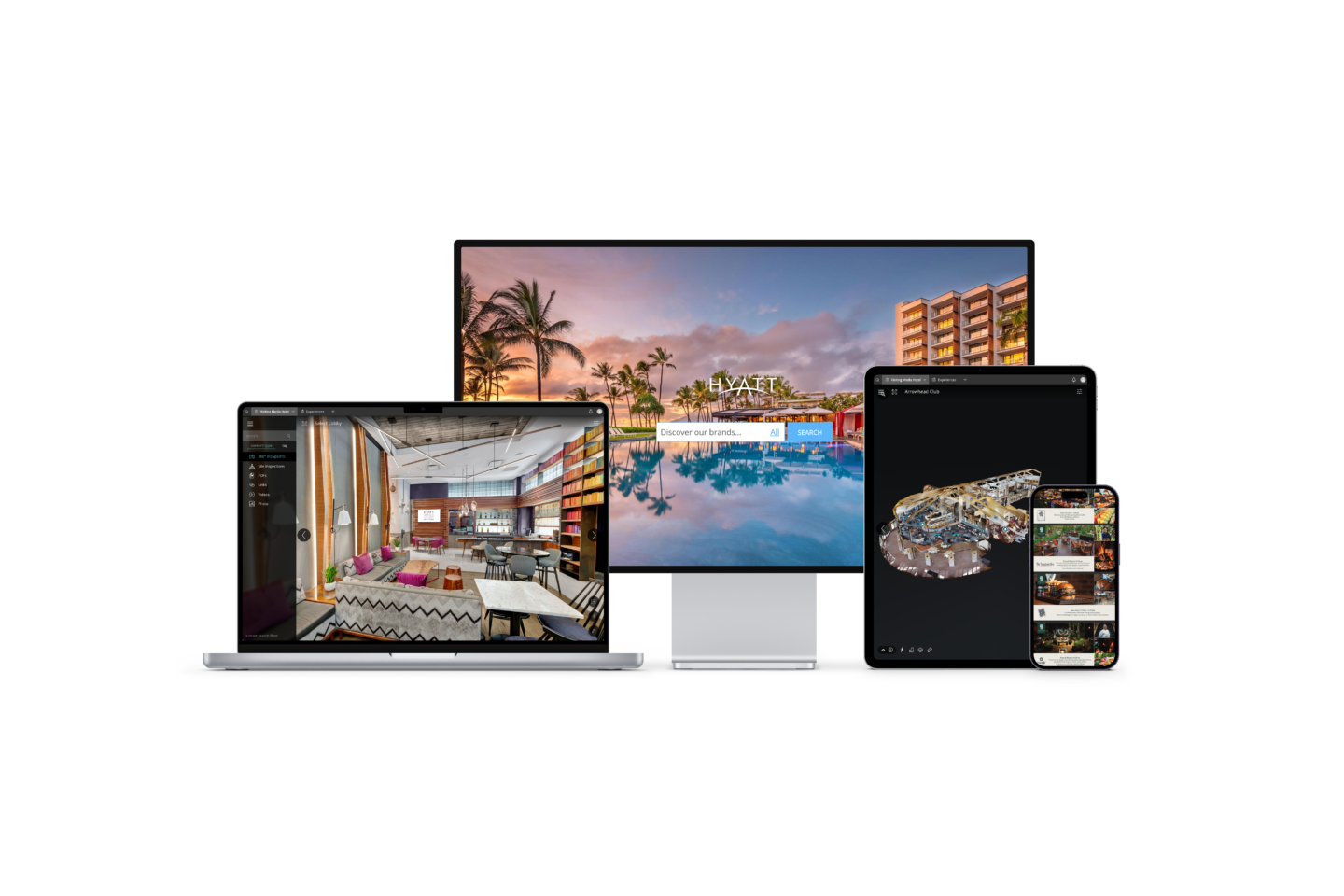
As of June 1, Portfolio Showcases are live in the Enterprise Visiting Media Platform (VMP). Portfolio Admins can build a branded, client-facing showcase for their full property portfolio directly in VMP. Not only can you choose which properties to include, but you can set and rearrange the order and customize the content for unique uses across multiple properties and at property. Not only that, the portfolio showcase is now branded and can be duplicated and customized for trade shows, group sales and regional selling.
Property content — images, TrueTour links, addresses, hotel websites — pulls automatically from the property level of the platform. When a property updates their content, the showcase reflects it. No additional effort from the multi-property team.
Portfolio Admins can also add tiles for properties not yet on VMP. A global sales organization managing a portfolio where not every property is on the platform can still present that portfolio fully, not just the subset we cover.
What this changes for multi-property selling
Portfolio selling is different from single-property selling. The buyer is not always asking about one hotel. They may be comparing a region, planning a multi-city program, or trying to understand where a brand has the right mix of spaces and capacity for their needs.
That kind of conversation requires a different tool. A single TrueTour link answers “tell me about this hotel.” A Portfolio Showcase answers “show me what you have in this market.”
Global or regional sellers today start a property search in one internal system to filter by meeting criteria, then manually cross-reference those results against TrueTour links. The showcase builder can collapse that into one step with the right property filters — and that is exactly the kind of workflow that saves time at the top of the sales funnel.
Your sales materials — always up to date
Selling content changes constantly. Properties come online. Media gets refreshed. Market focus shifts with the season or the account. A multi-property or cluster selling team should not be waiting on anyone to reflect those changes in their client-facing materials.
Portfolio Admins can now build and manage multiple showcases themselves. A regional account. A meeting planner segment. A seasonal push. The work stays with the team that knows the selling motion, and the presentation stays current because the people closest to the property details are the ones maintaining it.
When enterprise teams can update their portfolio presentations in minutes instead of days, they present more often. More presentations mean more opportunities to turn interest into bookings. That is the practical case for putting this in the customer’s hands.
Analytics: know the showcase is working — not just that it was viewed
Sending the link is the starting point, not the finish line. Once a showcase is out in the world, the natural question is what happened next. Which properties did the client actually look at? How many did they explore? Is this showcase doing its job?
Starting June 30, Showcase Analytics answers those questions directly. Portfolio Admins get a dedicated analytics view for every showcase they manage: total views, average time spent, average number of properties viewed per visit, and a ranked breakdown of which properties inside the showcase are getting clicked and which are being skipped. The showcase table gives a portfolio-level summary — which showcases are driving the most reach, where engagement depth is low relative to views — so Portfolio Admins can spot what to prioritize, reshare, or improve.
The property ranking inside each showcase is the drill-down that makes the data actionable. If a showcase with twelve properties is seeing strong overall views but low average engagement depth, the ranking shows exactly where drop-off is happening. That is information a seller can use: update content at that property, reorder the showcase, or adjust the proposal for that client.
This is analytics built specifically for the showcase, not repurposed from the property level. The result is a view that connects what you sent to how it performed.
Portfolio Users: a new user type for multi-property sellers
Portfolio Users can build and manage their own showcases, access Showcase Analytics for the showcases they own, and view the property list — Settings, Users, and property-level analytics remain scoped to Portfolio Admins only.
This is the right permission model for how multi-property sales teams actually work. The Portfolio Admin manages the portfolio infrastructure. The Portfolio User manages their own selling motion within it. Both have the access they need.
One important date to plan for
Legacy Content Hub links sunset on August 1, 2026. After that date, those links stop working. If your team is still sending clients to a Legacy Content Hub link, that link goes dark on August 1.
The fix is straightforward: build your Portfolio Showcase in your Enterprise account, then update wherever that legacy link lives. Email signatures, website embeds, trade show materials, proposal templates. Your CSM can walk you through the transition in a single session and make sure nothing gets missed before the deadline.
Portfolio Showcases and Showcase Analytics are live in Enterprise. Portfolio Admins can access both from the Enterprise dashboard. Contact your Customer Success Manager to get started or for assistance moving away from legacy Content Hub links before August 1.
Interested in getting started with Enterprise? Contact us to schedule your personalized demo today.
News • Jun 29, 2026
Introducing Portfolio Showcases: Every Property, One View, Selling at Scale
Enterprise customers have used our legacy Content Hub for years to give their global sales teams a single destination for clients. The experience was simple. Sellers grabbed the link, sent it, and moved on. Our customers had creative ways to leverage a single link which housed all of their immersive content across their entire portfolio in one place, but their needs expanded with planner demands. The simplicity was a win for our customers, but the experience could — and should — advance along with our Visiting Media Platform.
What we built, and why it matters
As of June 1, Portfolio Showcases are live in the Enterprise Visiting Media Platform (VMP). Portfolio Admins can build a branded, client-facing showcase for their full property portfolio directly in VMP. Not only can you choose which properties to include, but you can set and rearrange the order and customize the content for unique uses across multiple properties and at property. Not only that, the portfolio showcase is now branded and can be duplicated and customized for trade shows, group sales and regional selling.
Property content — images, TrueTour links, addresses, hotel websites — pulls automatically from the property level of the platform. When a property updates their content, the showcase reflects it. No additional effort from the multi-property team.
Portfolio Admins can also add tiles for properties not yet on VMP. A global sales organization managing a portfolio where not every property is on the platform can still present that portfolio fully, not just the subset we cover.
What this changes for multi-property selling
Portfolio selling is different from single-property selling. The buyer is not always asking about one hotel. They may be comparing a region, planning a multi-city program, or trying to understand where a brand has the right mix of spaces and capacity for their needs.
That kind of conversation requires a different tool. A single TrueTour link answers “tell me about this hotel.” A Portfolio Showcase answers “show me what you have in this market.”
Global or regional sellers today start a property search in one internal system to filter by meeting criteria, then manually cross-reference those results against TrueTour links. The showcase builder can collapse that into one step with the right property filters — and that is exactly the kind of workflow that saves time at the top of the sales funnel.
Your sales materials — always up to date
Selling content changes constantly. Properties come online. Media gets refreshed. Market focus shifts with the season or the account. A multi-property or cluster selling team should not be waiting on anyone to reflect those changes in their client-facing materials.
Portfolio Admins can now build and manage multiple showcases themselves. A regional account. A meeting planner segment. A seasonal push. The work stays with the team that knows the selling motion, and the presentation stays current because the people closest to the property details are the ones maintaining it.
When enterprise teams can update their portfolio presentations in minutes instead of days, they present more often. More presentations mean more opportunities to turn interest into bookings. That is the practical case for putting this in the customer’s hands.
Analytics: know the showcase is working — not just that it was viewed
Sending the link is the starting point, not the finish line. Once a showcase is out in the world, the natural question is what happened next. Which properties did the client actually look at? How many did they explore? Is this showcase doing its job?
Starting June 30, Showcase Analytics answers those questions directly. Portfolio Admins get a dedicated analytics view for every showcase they manage: total views, average time spent, average number of properties viewed per visit, and a ranked breakdown of which properties inside the showcase are getting clicked and which are being skipped. The showcase table gives a portfolio-level summary — which showcases are driving the most reach, where engagement depth is low relative to views — so Portfolio Admins can spot what to prioritize, reshare, or improve.
The property ranking inside each showcase is the drill-down that makes the data actionable. If a showcase with twelve properties is seeing strong overall views but low average engagement depth, the ranking shows exactly where drop-off is happening. That is information a seller can use: update content at that property, reorder the showcase, or adjust the proposal for that client.
This is analytics built specifically for the showcase, not repurposed from the property level. The result is a view that connects what you sent to how it performed.
Portfolio Users: a new user type for multi-property sellers
Portfolio Users can build and manage their own showcases, access Showcase Analytics for the showcases they own, and view the property list — Settings, Users, and property-level analytics remain scoped to Portfolio Admins only.
This is the right permission model for how multi-property sales teams actually work. The Portfolio Admin manages the portfolio infrastructure. The Portfolio User manages their own selling motion within it. Both have the access they need.
One important date to plan for
Legacy Content Hub links sunset on August 1, 2026. After that date, those links stop working. If your team is still sending clients to a Legacy Content Hub link, that link goes dark on August 1.
The fix is straightforward: build your Portfolio Showcase in your Enterprise account, then update wherever that legacy link lives. Email signatures, website embeds, trade show materials, proposal templates. Your CSM can walk you through the transition in a single session and make sure nothing gets missed before the deadline.
Portfolio Showcases and Showcase Analytics are live in Enterprise. Portfolio Admins can access both from the Enterprise dashboard. Contact your Customer Success Manager to get started or for assistance moving away from legacy Content Hub links before August 1.
Interested in getting started with Enterprise? Contact us to schedule your personalized demo today.